Zone-aware guidance
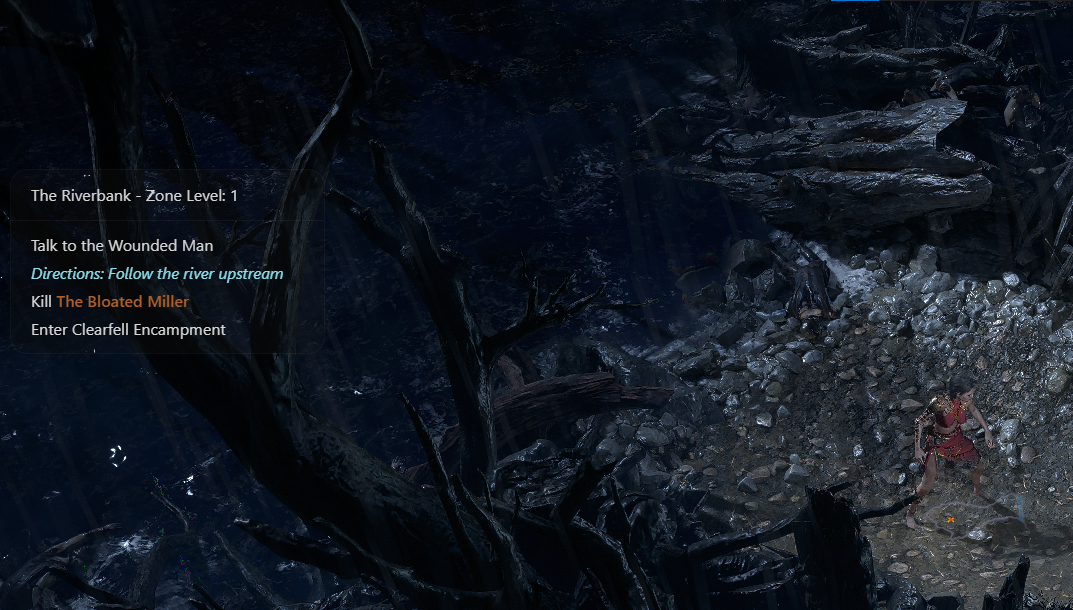
Qutm reads your Client.txt file to know exactly which zone you are in, then shows only the tasks that matter now.
A simple, unobtrusive Path of Exile 2 campaign overlay that helps you stay on track without pulling you out of the game.
SETUP ONCE
Qutm uses your live game log to understand your run. Select the Client.txt file, optionally add your character name, and let the overlay follow the zone you are in.
Select Client.txt
This tells Qutm which zone you are currently in.
Add a character name
Optional, but it makes the overlay even more reactive.
Play without tabbing out
Press Alt + Shift + F to show or hide the zone widget.
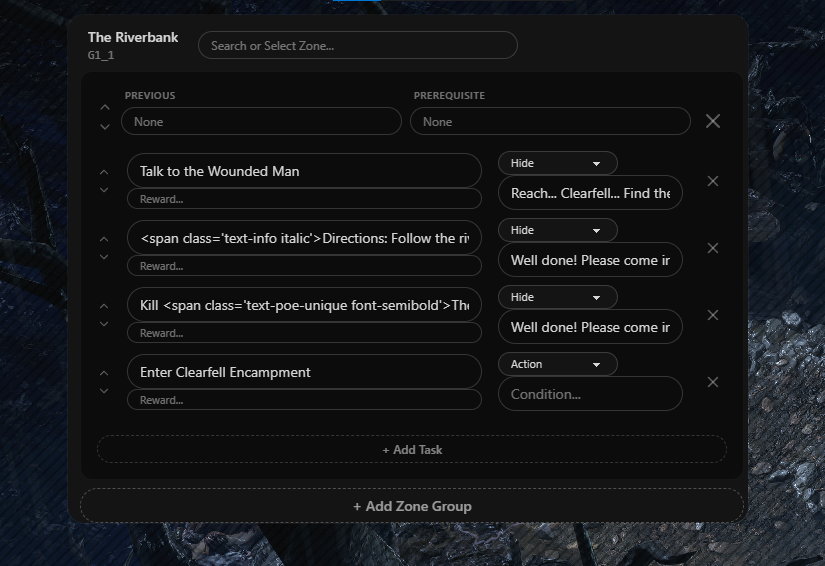
Create zone groups, reorder tasks, and define prerequisites, actions, conditions, and rewards.
THE ESSENTIALS
The core PoE2 overlay stays focused, while optional beta tools give you more control over a campaign run, from timing your route to checking the total value of scanned items.
Qutm reads your Client.txt file to know exactly which zone you are in, then shows only the tasks that matter now.
The overlay stays quiet and unobtrusive. Toggle it with Alt + Shift + F, or configure your own keybind.
A character name is optional, but adding one helps Qutm react more precisely to your run and progression.
Edit tasks and zone groups, switch the widget to RTL, tune text size, and enable automatic updates.
Keep an eye on your campaign pace with the beta stopwatch.
Press F2 to scan items and see a table ranked by total price.
Use RTL mode, change text size, and turn auto-update on or off.
READY WHEN YOU ARE
Download the newest version, configure your log file and keybind, then get back to the campaign.
QUICK START